New Features to Help with Coaching: Dashboard + Announcements
 Cam LangsfordSeptember 17, 2025
We’ve rolled out a couple of handy features over the past month that are already getting great feedback from coaches. This quick post gives you a walkthrough of two updates:
-
The New Coaching Dashboard
-
The New Communication Feature: Announcements
Continue reading the full post or listen to the audio version on our podcast, or watch the video version on Youtube.
1. The New Coaching Dashboard
The Coaching Dashboard is the first spot in the app where you can view multiple clients all at once. It's a quick snapshot of each athlete's training, events, and recent workouts — all in one place.
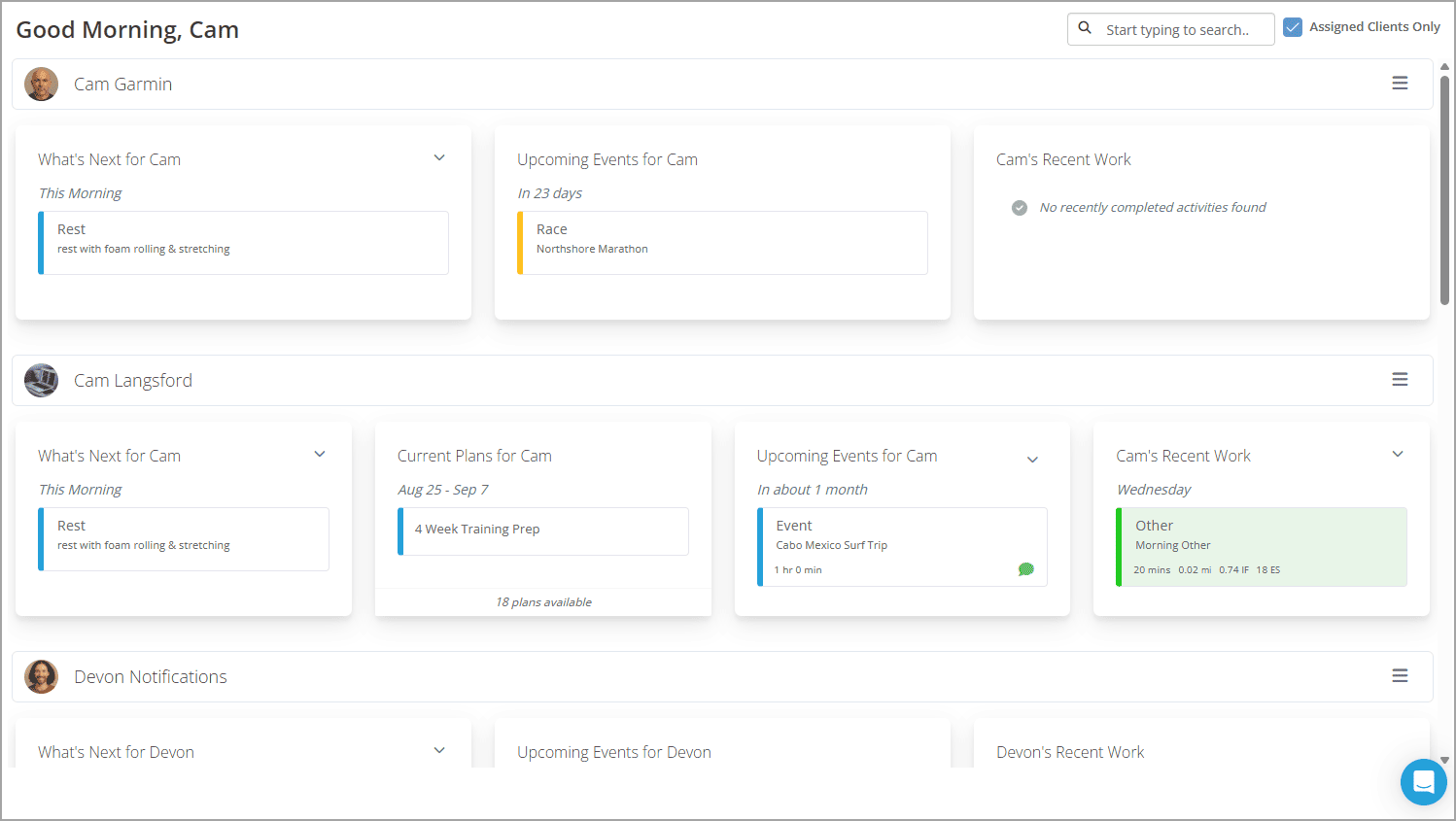
Key Features:
- What’s Next: See each client’s next five workouts. Click into any workout to view all the details including structure, description, comments, and file downloads.
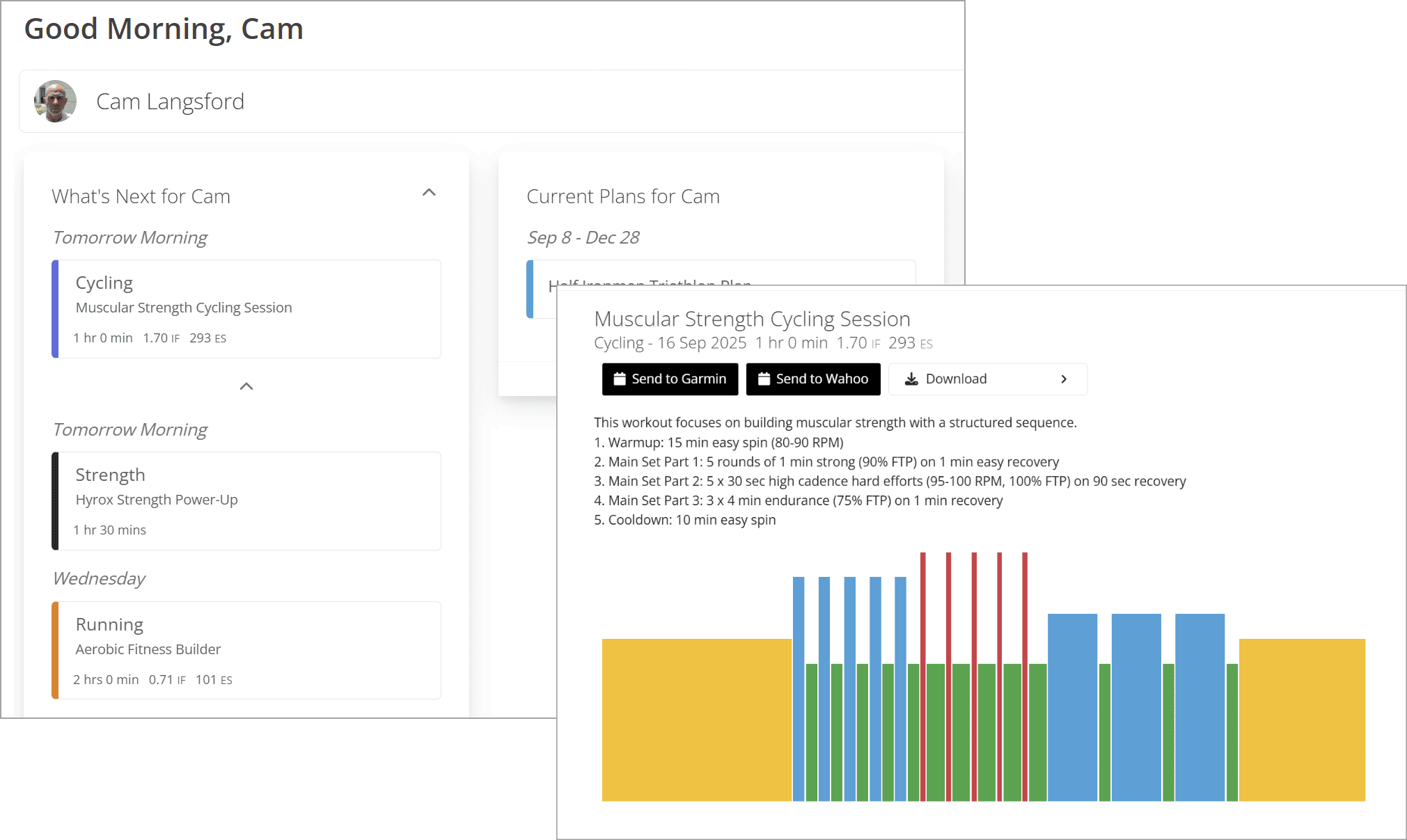
- Current Plans: Only shows for clients on a template or self-service training plan. Helpful for tracking who’s following which plan.
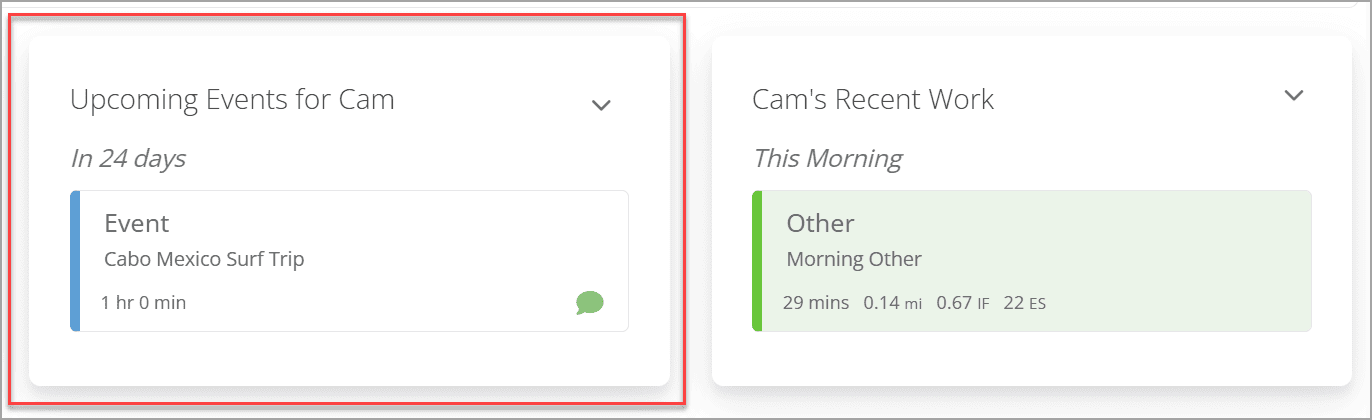
- Upcoming Events: A simple view to see who has events coming up and when. Click through for event details and comment options.
- Recent Work: See what your athletes have just completed. Click on a session to dive into the analytics.
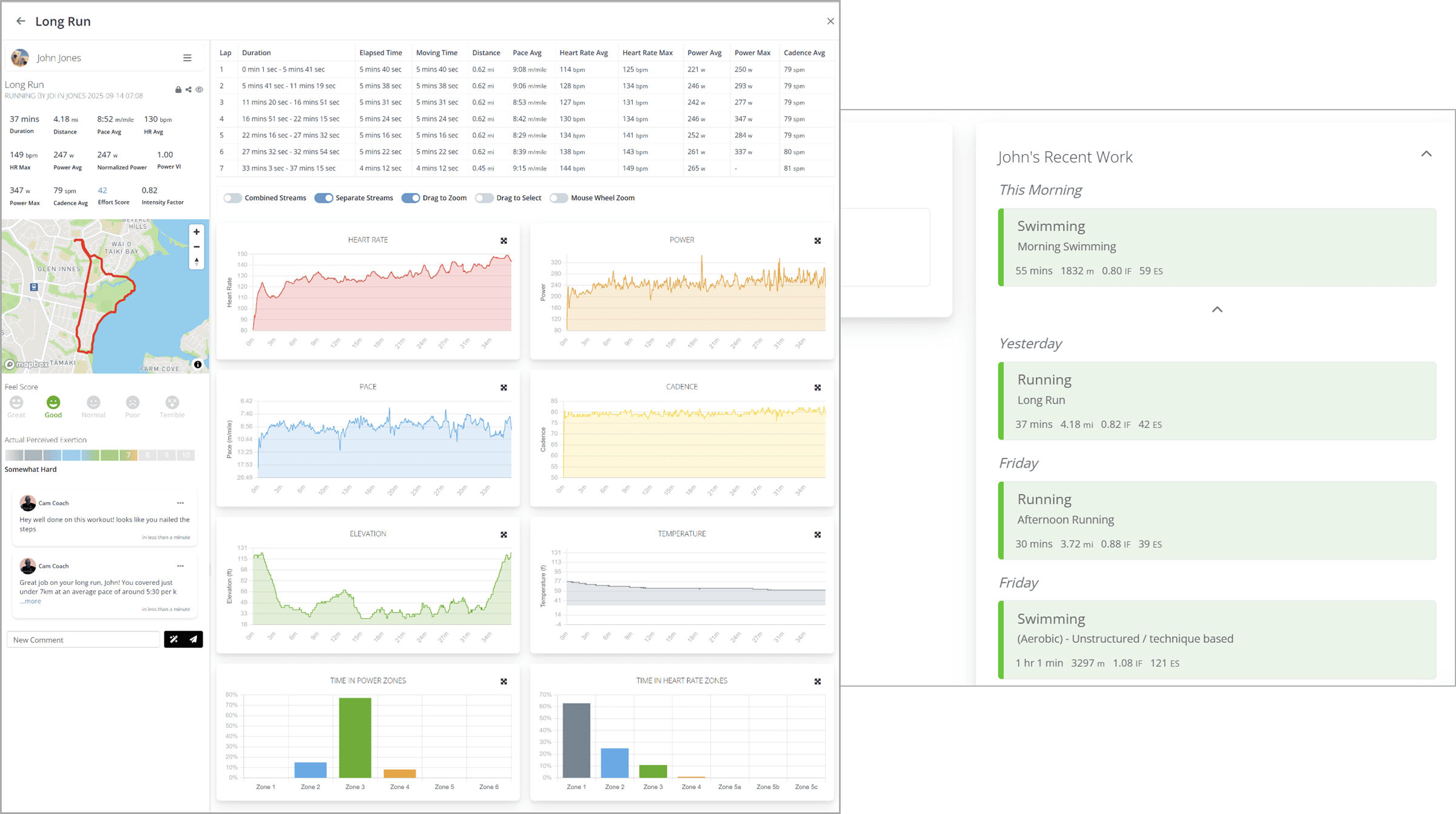
You can filter by client or just scroll through. If you're a head coach, you can also switch to view all clients across your team.
2. The New Client View
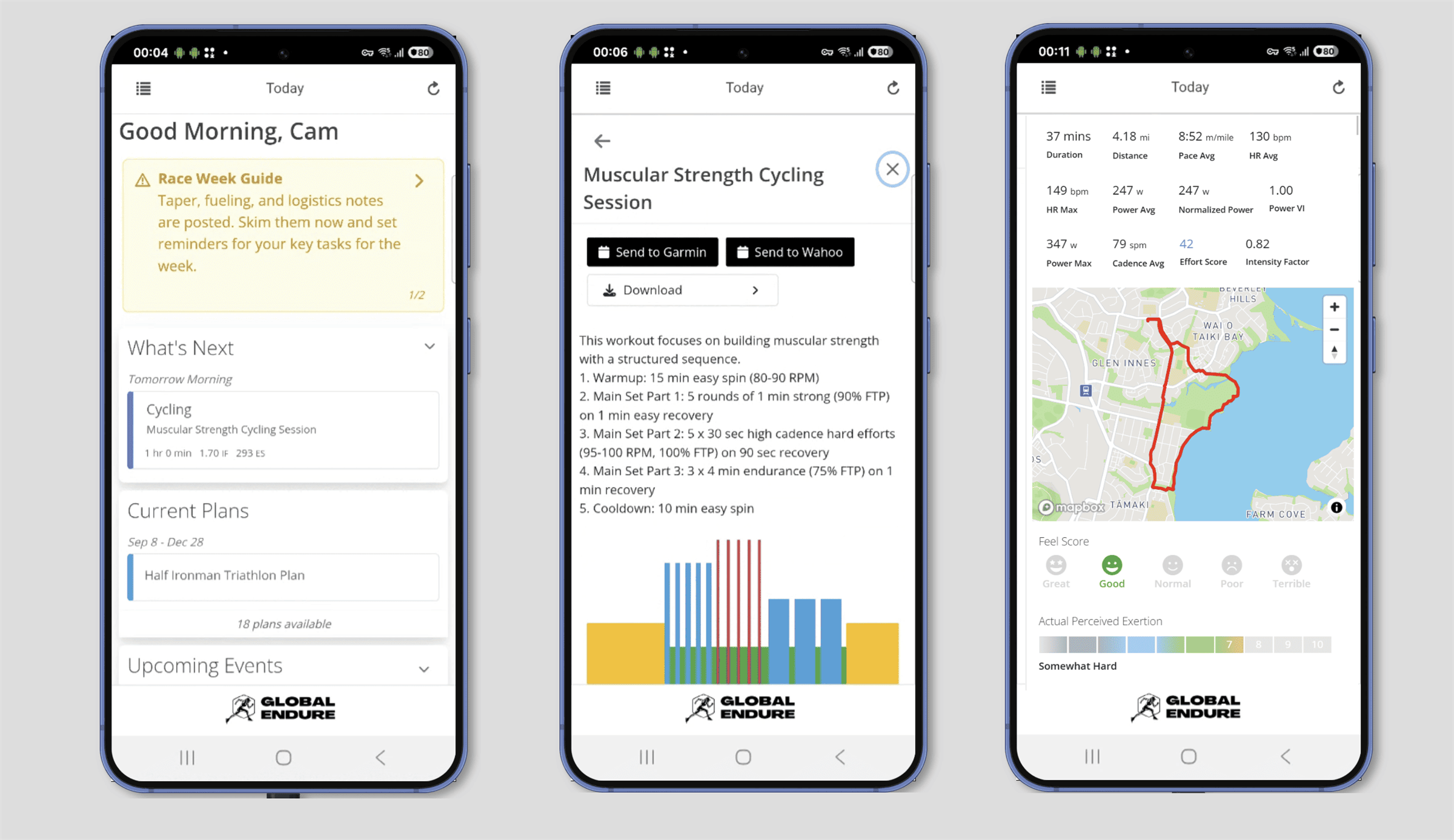
From the athlete's perspective, the dashboard is very similar. It’s a quicker way for them to check their upcoming training without digging through the calendar.
They can still click into workouts, see the structure, and leave or read comments. It's much more user-friendly for quick daily check-ins.
3. Announcements: A Better Way to Communicate
We’ve also added a feature that lets you push short messages to your athletes that show up right at the top of their dashboard.
For example, you can use this to:
- Let them know their plan is live for the week
- Share a race guide
- Remind them of something important
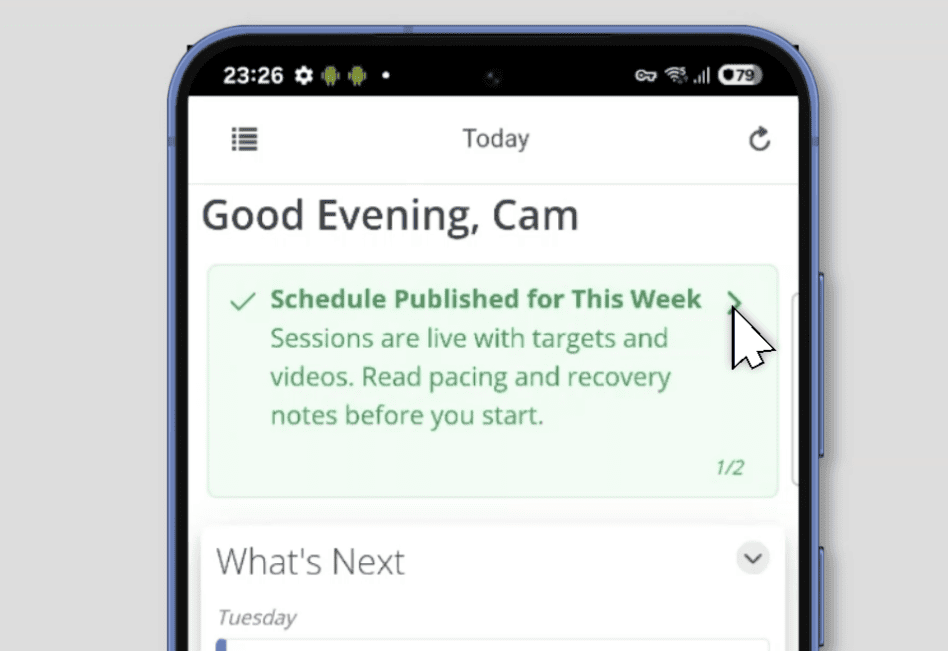
Athletes can click through multiple announcements, and depending on how you set it up, they can dismiss the message or it will stay put until it expires.
Managing Announcements
From your side as a coach, the announcement manager gives you full control over what your clients see and when.
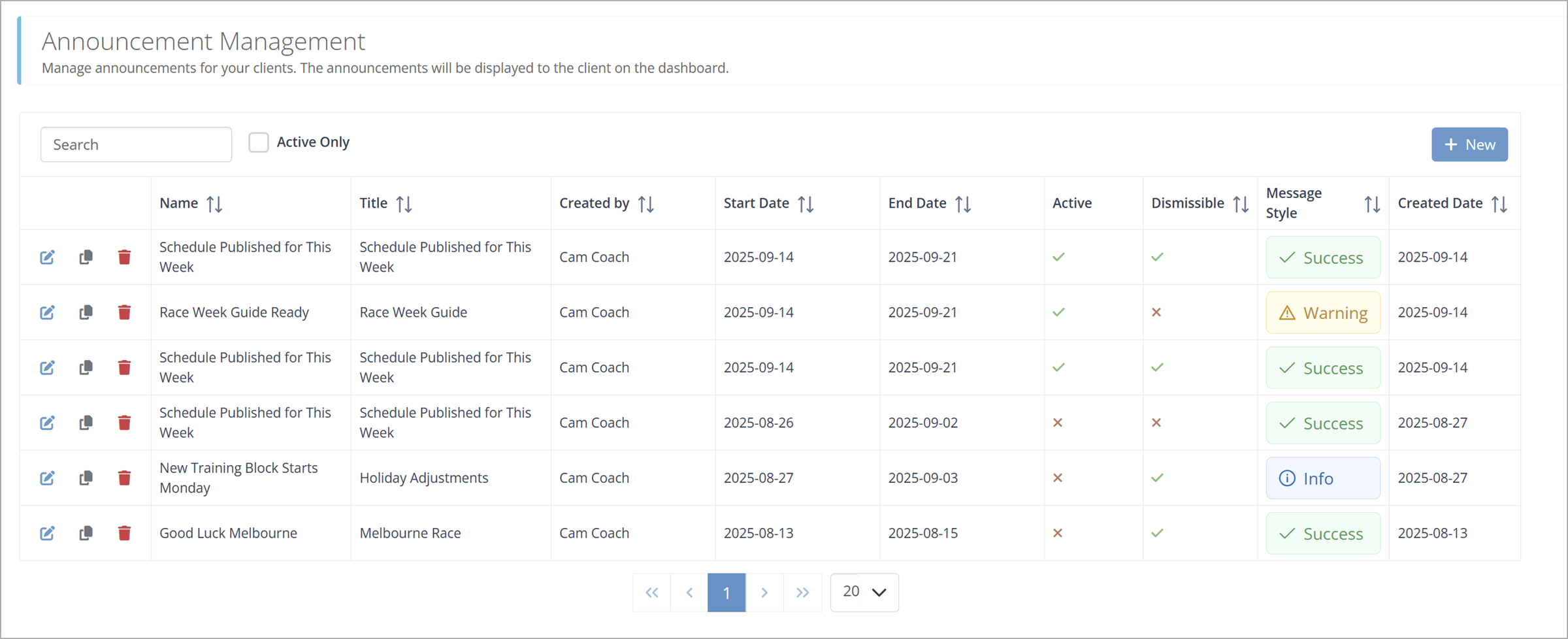
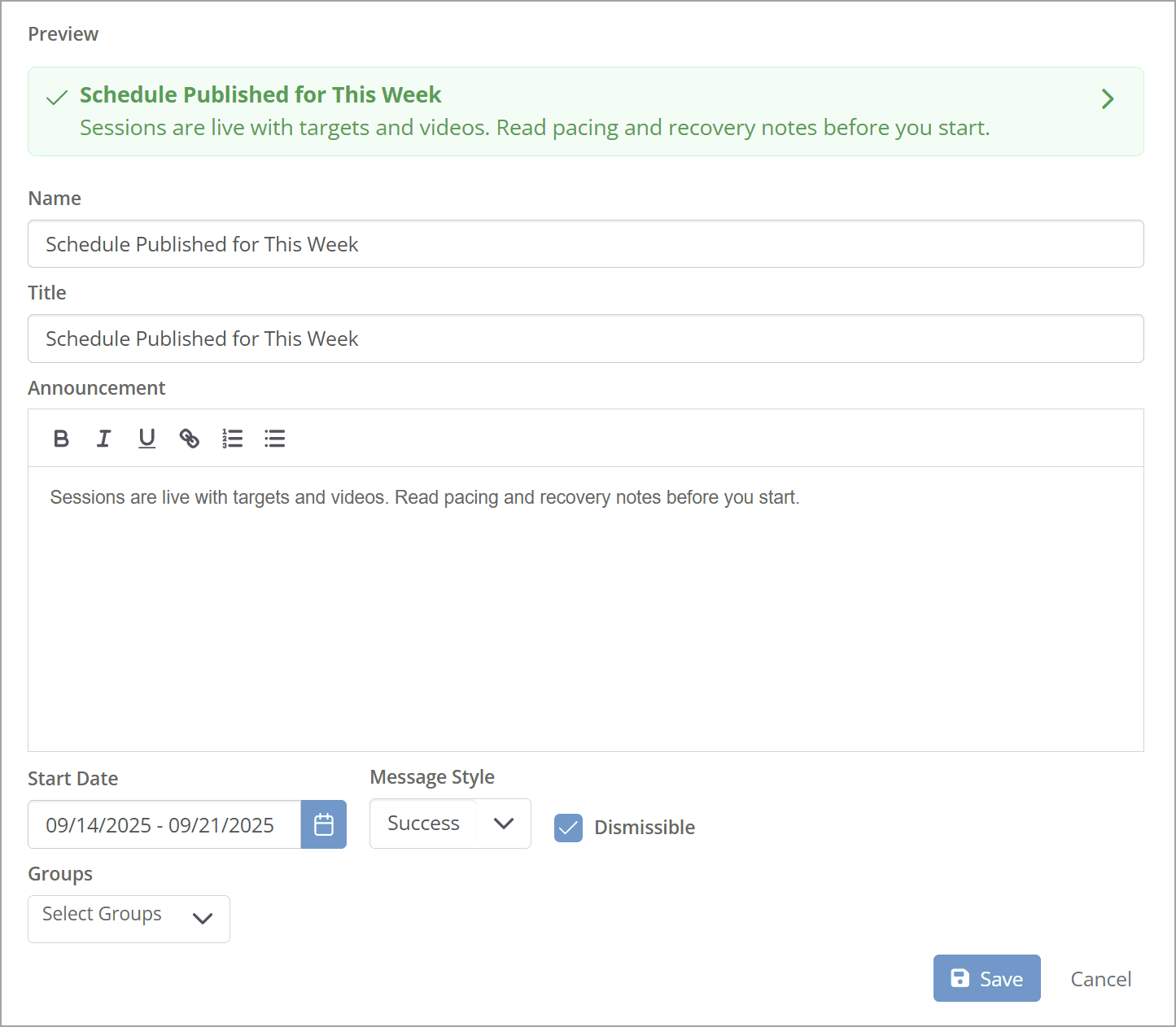
Options include:
- Title & Message: Add simple formatting, links, lists, etc.
- Date Range: Show the message for a set period or schedule it for the future.
- Message Style: Add color and icons based on priority.
- Dismissible: Decide if clients can close the message or not.
- Target Groups: Send announcements only to specific groups of clients.
You can also duplicate announcements to reuse messages (like weekly training reminders) without retyping.
Wrapping Up
That’s it for now! We hope the new Coaching Dashboard and Announcements feature help make your day-to-day coaching simpler and more efficient. They’re designed to save you time and keep your clients informed and engaged.
Let us know what you think, and if there’s anything else you’d like to see in the platform.
Talk soon, Cam